

Best practices
Title and Subtitle
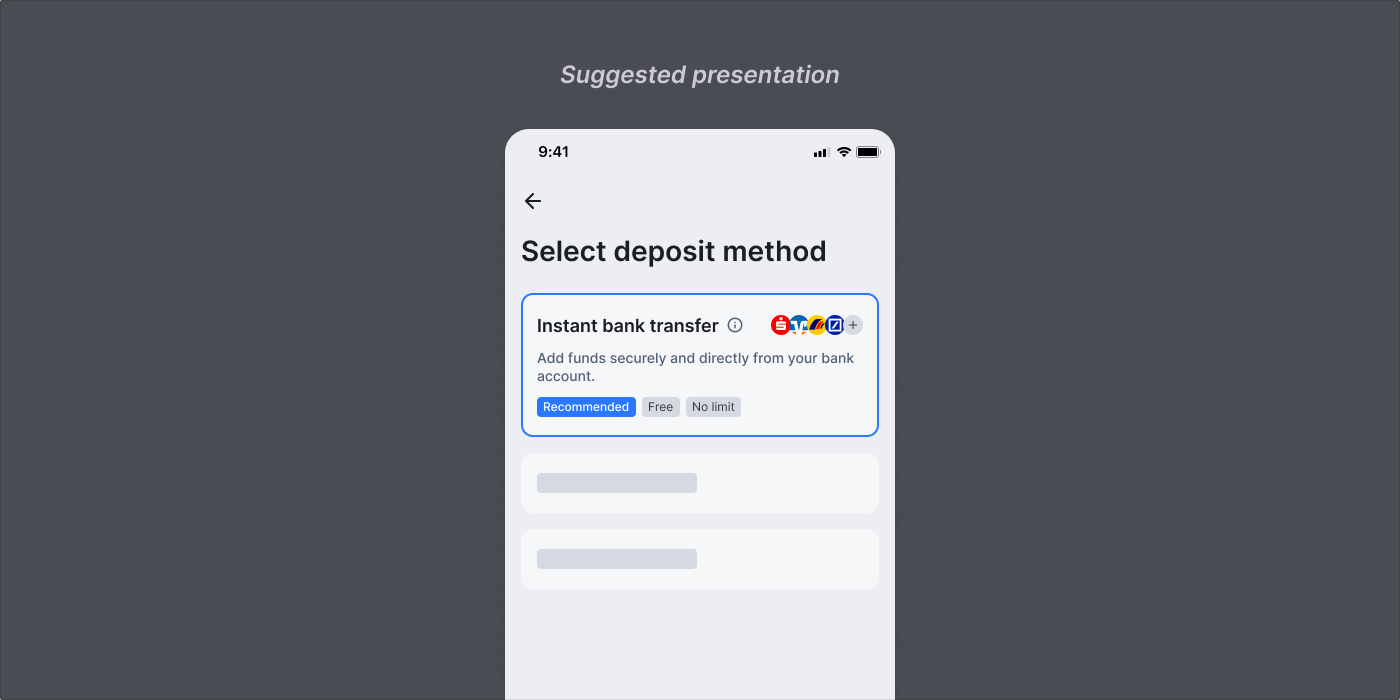
Display a clear title and subtitle that communicates the payment method’s benefits. Suggested implementation:- Title: “Instant bank transfer”
- Subtitle: “Add funds securely and directly from your bank account.”
Bank Logos
Show logos of popular banks to build trust and familiarity. Suggested implementation:- Include the logos of the most popular banks in the region.
- Download bank logos
- Icon
- A lightning bolt icon for Instant bank transfer (emphasises speed/convenience)
- If you don’t offer other bank transfer options, a simple bank icon works well for Instant bank transfer
- Geographic Indicators
- EU flag for Euro payments
- UK flag for GBP payments
- Download non-bank logo assets
Default positioning
If using multiple payment options, position Instant bank transfer as the default and primary payment option.- Suggested implementation:
- Place Instant bank transfer as the first payment option in your list
- Pre-select it by default if possible
Recommended label
Add visual indicators to help guide users toward the recommended option.- Suggested implementation:
- Add a “Recommended” label next to Instant bank transfer
- Use consistent styling with other UI elements in your payment flow
Educational tooltip
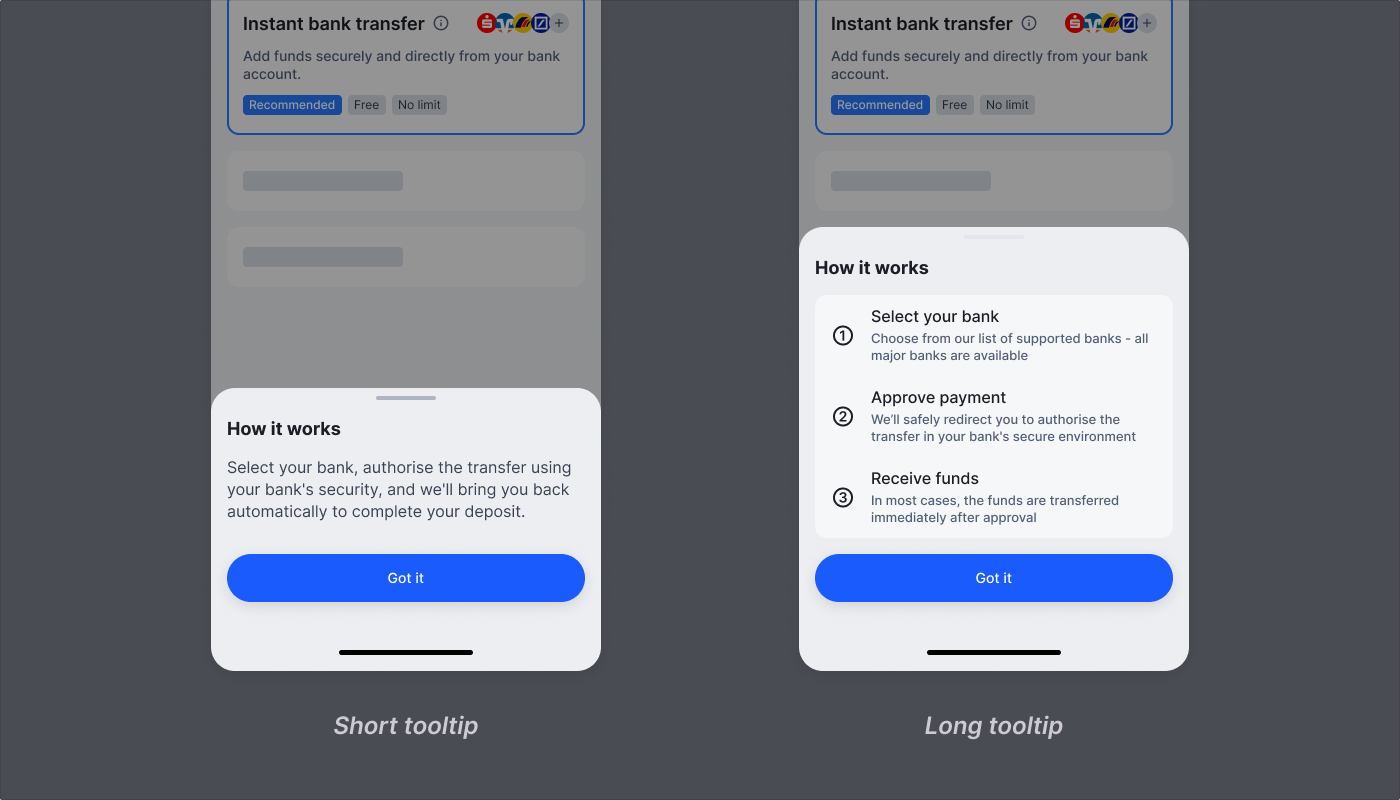
Add a tooltip icon next to Instant bank transfer that shows key information on hover/tap.- Short version: “Select your bank, authorise the transfer using your bank’s security, and we’ll bring you back automatically to complete your deposit.”
- Long version:
- “1 · Select your bank Choose from our list of supported banks - all major banks are available
- 2 · Approve payment We’ll safely redirect you to authorise the transfer in your bank’s secure environment
- 3 · Receive funds In most cases, the funds are transferred immediately after approval”
Payment method comparison labels
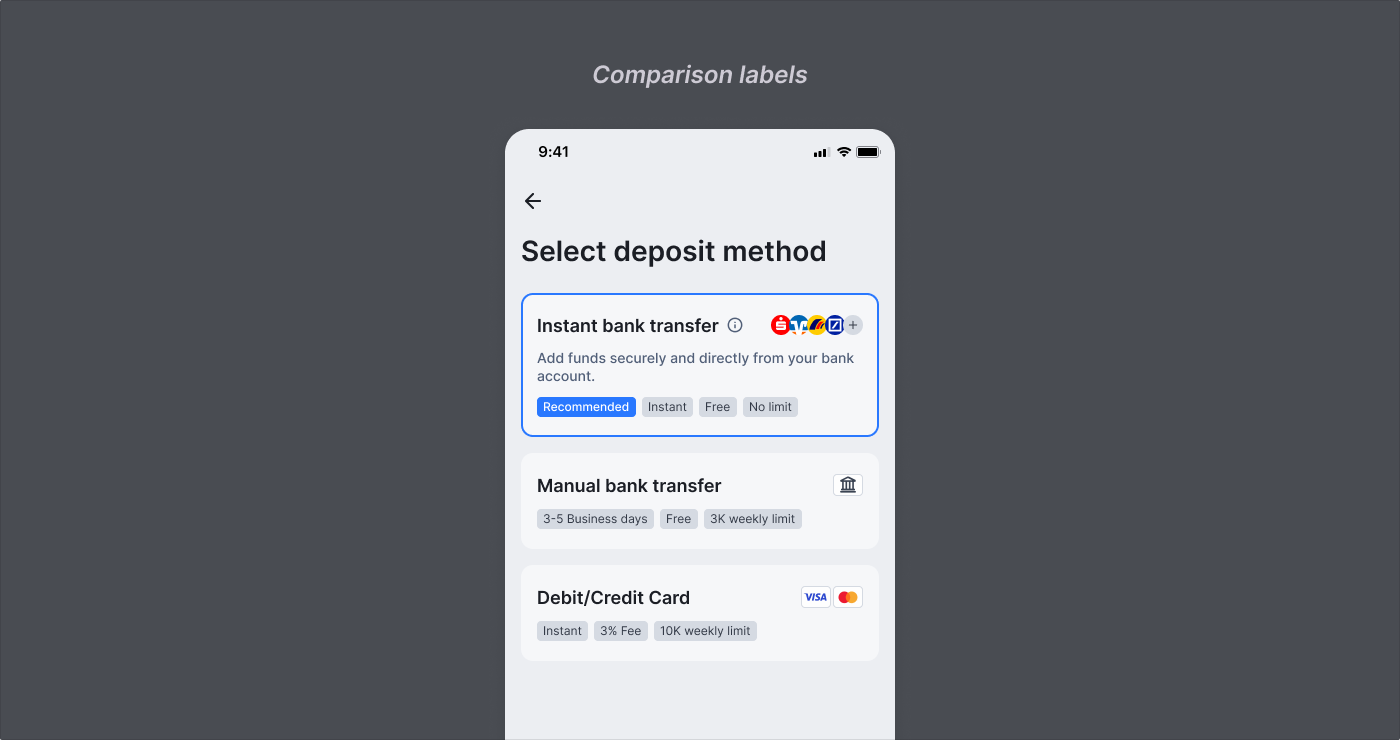
When presenting multiple payment methods, clear labels help users quickly understand the benefits and limitations of each option. By consistently labeling key attributes across payment methods, you enable users to make informed decisions based on what matters most to them.- Suggested labels:
- Speed: “Instant” vs e.g. “3-5 Business days”
- Cost: “Free” vs e.g. “3% Fee”
- Limit: “No limit” vs e.g. “10K weekly limit”
Dynamic CTA
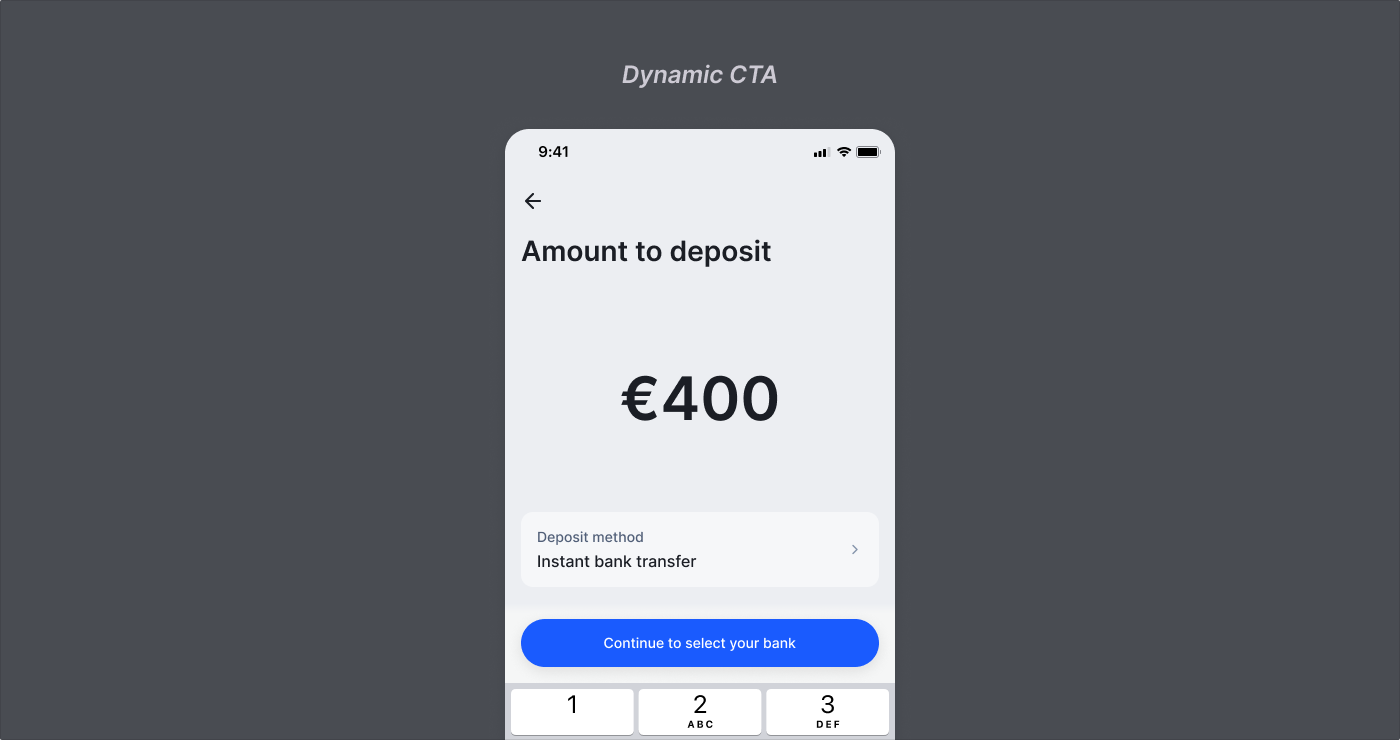
Set clear expectations about the next step by adding a dynamic CTA when Instant bank transfer is selected Suggested implementation:- On the final page before redirecting to Payment, label the CTA “Continue to select your bank”