

Prerequisites
- Register as a Saber merchant — reach out to our team if you haven’t.
- Set up your keys — every API call needs an authentication signature; see Configuring Your Keys.
- Create a user — see Registering Users.
- Configure your webhooks — Saber sends a webhook at each milestone; see Webhook Configuration.
Implementation
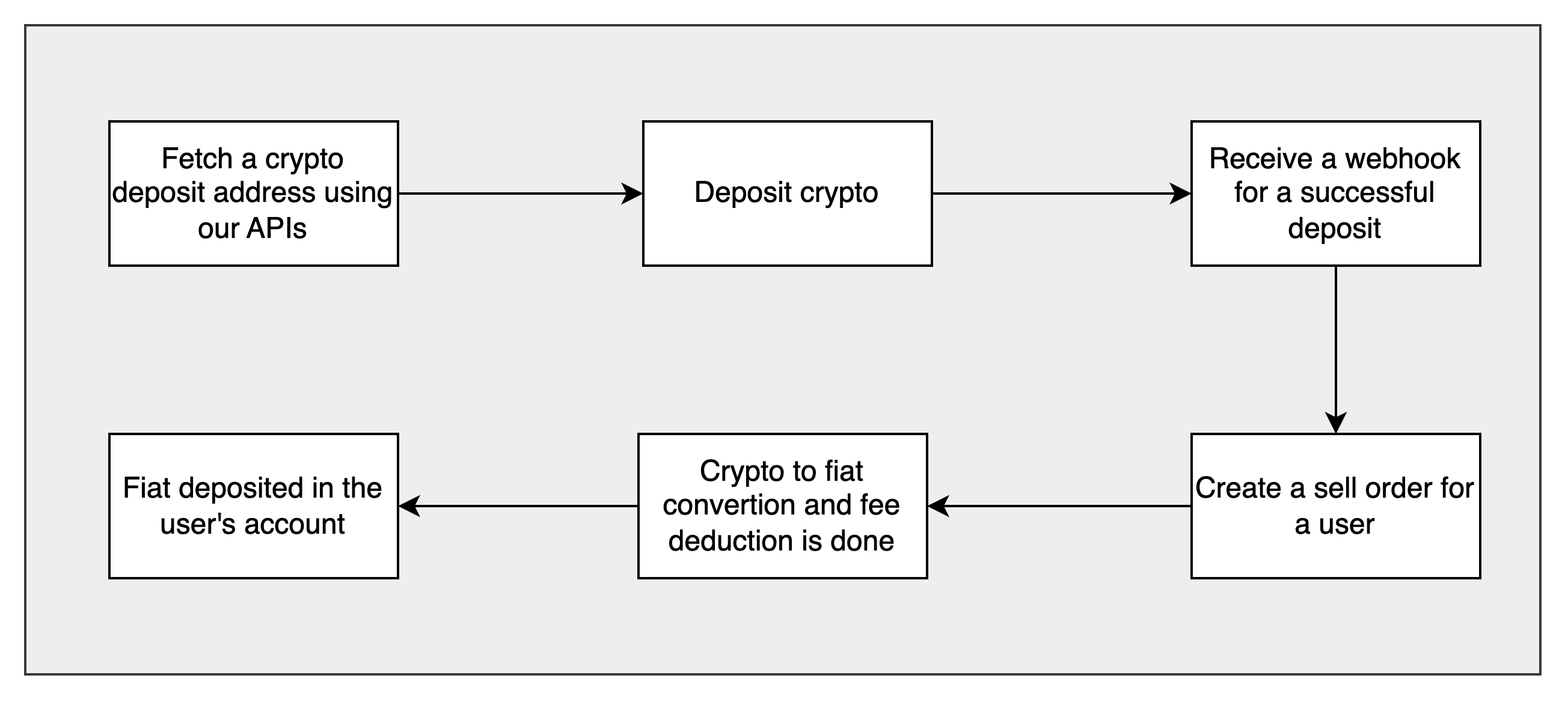
Step 1: Deposit crypto into Saber
Fetch a deposit address for the user (or use an internal transfer instead):symbol and network are required; one address is returned per (symbol, network) pair. API Reference.
Step 2: Wait for a success callback
Once your crypto deposit hits our systems, we send a webhook to your configured endpoint:Step 3: Initiate a sell crypto transaction
- Confirm the user’s KYC is complete — see User KYC if not.
- Confirm the user has a valid Indian bank account — see Add Bank Account if not.
- Call the sell API: